System Information Collection Script
Overview
For Windows
- This script is designed to collect detailed system information from Windows machines.
- It is written in Bash and can run in command-line environments such as Git Bash, Cygwin, or WSL.
- The script retrieves system configuration data by calling native Windows tools and commands.
For Linux
- This script is designed for Linux and macOS systems, also written in Bash.
- It leverages typical Linux system features such as the /proc filesystem and standard command-line utilities to collect detailed system information.
Purpose
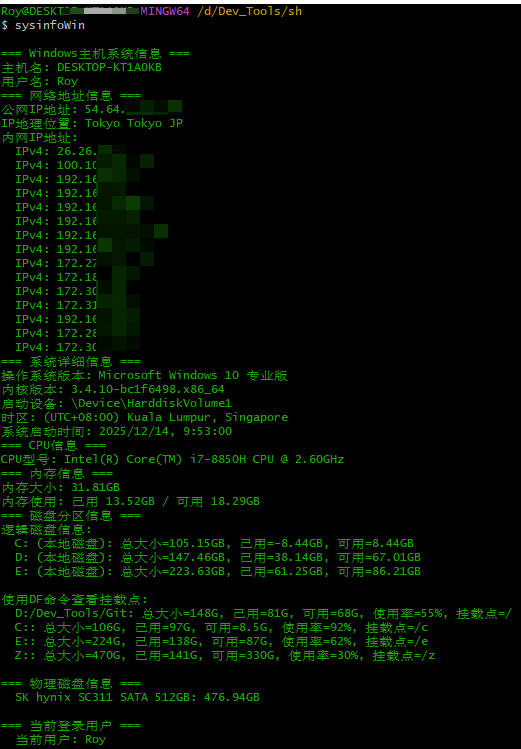
For Windows
- Quick system diagnostics
- Helps users and IT administrators quickly understand hardware and software configuration.
- System information archiving
- Records system status before deployment, troubleshooting, or upgrades.
- Remote technical support
- Allows engineers to collect system details remotely for issue analysis.
- System health monitoring
- Tracks key system metrics such as memory usage, disk space, and CPU status.
- Network configuration inspection
- Displays public and private IP addresses, network interface information, and approximate location.
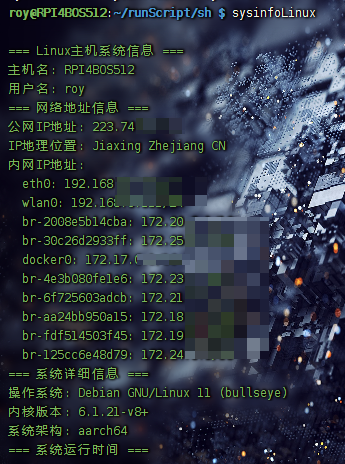
For Linux
- Comprehensive system overview
- Provides a complete snapshot of system information from hardware to software.
- Performance baseline creation
- Establishes performance baselines for later monitoring and optimization.
- Server status inspection
- Useful for server administration, especially for uptime and load monitoring.
- Troubleshooting assistance
- Provides useful diagnostic data for debugging system or performance issues.
- Compatibility validation
- Checks whether the system meets the requirements for specific software or applications.
Use Cases
For Windows
- IT administrators performing system audits and asset management
- Support engineers collecting client system data for troubleshooting
- Developers verifying hardware configuration of development environments
- Compatibility checks before system migration or upgrades
- Security auditing and compliance verification
For Linux
- Server administration and monitoring
- Cloud instance configuration validation
- Base image inspection in container environments
- Environment checks before distributed system deployment
- Performance tuning and capacity planning
- Security hardening and compliance auditing
Shared Features of Both Scripts
Technical Characteristics
- Cross-platform design
- Both scripts target different operating systems but use standard Bash syntax.
- No additional dependencies
- The scripts rely only on built-in system tools.
- Colorized output
- Green-colored output improves readability.
- Modular output structure
- Information is grouped by category for clarity.
- Basic error handling
- Handles command failures gracefully.
Information Collected
- Basic information
- Hostname, username, operating system version
- Hardware information
- CPU model, memory size, disk configuration
- Network information
- Public and private IP addresses, network interfaces, geolocation
- System status
- Uptime, boot time, timezone
- Storage information
- Disk partitions, mount points, usage statistics
Benefits
- Improved efficiency
- Automatically collects system data instead of manual inspection.
- Standardized output format
- Consistent output makes comparison and analysis easier.
- Historical reference
- Output can be saved for system change tracking.
- Extensibility
- Additional checks can be added easily if needed.
- Educational value
- Helps users understand system structure and configuration.
Example Output
For Windows
For Linux
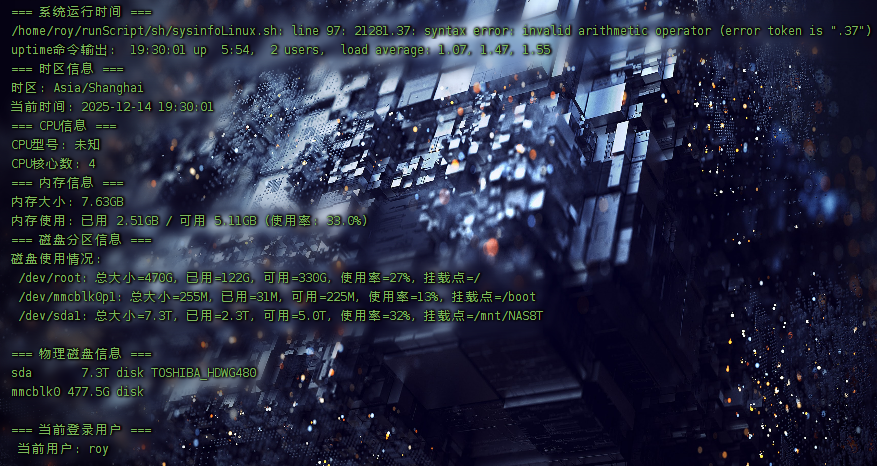
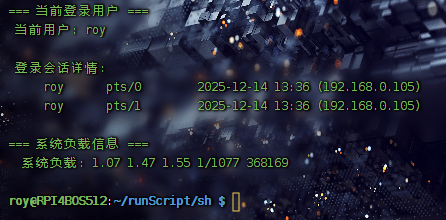
Windows Version Script
Collect Windows System Information
1 | !/bin/bash |
Linux Version Script
Collect Linux System Information
1 | !/bin/bash |